YouTube Channel Banner
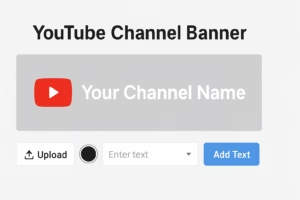
YouTube Channel Banner – Create Stunning Channel Art Online
Design a professional YouTube Channel Banner in seconds. This tool helps you create perfect channel art that fits all devices—mobile, desktop, and TV. Customize your banner with images, text, colors, and stylish templates. No design skills needed. Just upload, edit, and download your YouTube banner instantly.
YouTube tool banner – Make Custom Channel Art Easily-
Create eye-catching YouTube Tool Banner art with this simple and fast banner creator. Choose your size, add photos, apply colors, and customize text to match your brand. The banner automatically fits YouTube’s recommended dimensions, so your channel looks perfect on every device. Download your finished banner instantly—no design experience required.
YouTube Banner Maker Online – Design Perfect Channel Art Free
Make a professional YouTube banner Maker Online in minutes with this easy online tool. Customize layouts, upload your images, add text, and effortlessly match your brand style. The tool uses the exact YouTube banner size, ensuring your channel art looks sharp on mobile, desktop, and TV. Download your high-quality banner instantly—100% free and beginner-friendly.
YouTube Channel Maker – YouTube Tool
Design a stunning YouTube channel Maker with this fast and easy online banner maker. Upload images, add text, choose colors, and customize templates to match your brand. The tool follows YouTube’s official banner dimensions, so your artwork displays perfectly across all devices. Create and download HD banners instantly—no software or design skills needed. Easy-to-use YouTube Tool.
How This YouTube Channel Banner Tool Works
This tool lets you easily create a perfect YouTube Channel Banner without design skills.
You can upload an image, add text, choose colors, select fonts, move elements, and finally download your banner in high quality.
Everything works inside your browser, fast and secure.
Main Steps:
- Upload Background Image
Click the upload button to add your banner background. The image automatically fits the banner size. - Add Text to Your Banner
Type your text in the text box and click “Add Text”.
You can add unlimited text layers like Channel Name, Tagline, or Social Links. - Customize Text Color & Font
Use the color picker to select any text color.
Choose a font from the dropdown menu to match your channel style. - Drag & Move Text Anywhere
Click and drag any text on the banner to position it exactly where you want. - Real YouTube Banner Size
The tool uses the official YouTube banner size so your design looks perfect on all devices. - Download in HD Quality
Click the “Download Banner” button.
The tool creates a 2560×1440 HD banner and saves it as a PNG file.
Key Features of the YouTube Channel Banner Tool
- Easy Background Upload
Upload any image from your device and use it instantly as your banner background. - Add Unlimited Text
Insert multiple text layers such as channel name, tagline, or social media links. - Drag & Drop Positioning
Move text anywhere on the banner with simple drag-and-drop control. - Custom Colors & Fonts
Change text color and choose from stylish fonts to match your channel theme. - Real YouTube Banner Size
The tool follows the official 2560×1440 YouTube banner dimensions for perfect display. - Instant HD Download
Download your completed banner in high-quality PNG format within seconds. - No Signup Needed
Use the tool instantly without creating an account or logging in. - Works on All Devices
The tool is fully responsive and works smoothly on mobile, tablet, and desktop. - Fast and Lightweight
Built for speed with no heavy loading, ensuring smooth performance. - Secure & Browser-Based
All editing happens in your browser. No image is uploaded to any server.